Exporting Forms as PDF
Export your completed forms as PDF documents for printing, sharing with stakeholders, or keeping offline records.
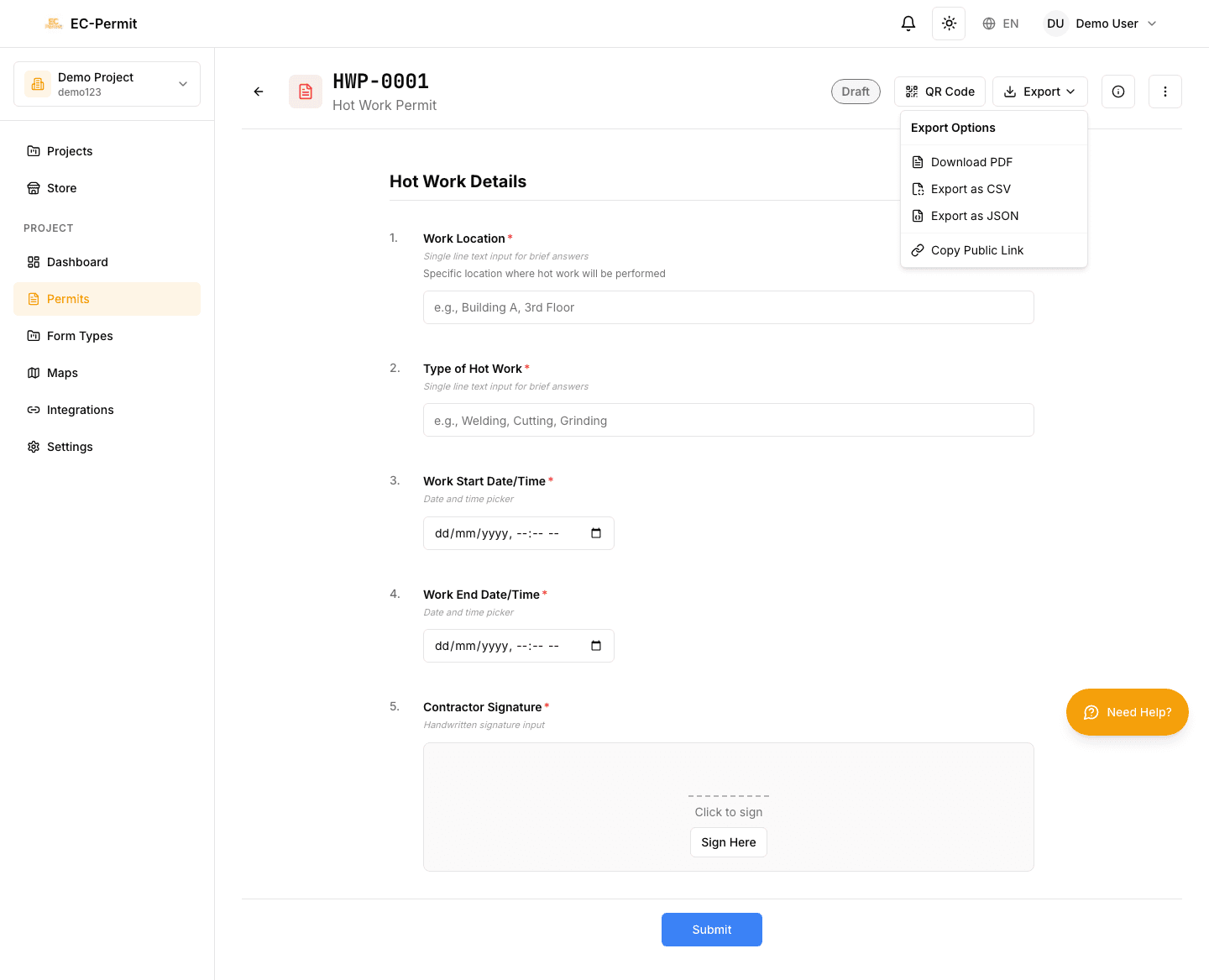
Exporting a Single Form
To export one form as PDF:
- 1Open the form
Navigate to the form you want to export
- 2Click the Export menu
Look for the download/export icon in the header
- 3Select "Export as PDF"
The PDF will be generated and downloaded
Bulk Export (Multiple Forms)
To export multiple forms at once:
- 1Go to the Forms List
Navigate to the form type containing forms to export
- 2Select forms using checkboxes
Check the boxes next to forms you want to export, or use "Select All"
- 3Click Export → Export as PDF
Selected forms will be combined into a single PDF or downloaded as a ZIP
Export Formats
What's in the PDF?
The exported PDF includes:
Form Content
- • All questions and answers
- • Uploaded images (embedded)
- • Signatures captured
- • Map/location pins
Metadata
- • Form number and type
- • Current status
- • QR code for quick access
- • Export timestamp
PDF Template
The PDF layout is determined by the PDF Template configured for each form type. Project admins can customize:
- Page layout and orientation
- Company logo and branding
- Field placement and formatting
- Header and footer content
- Which fields appear on the PDF
Need a Different Format?
Printing
For printing, export the form as PDF first, then print from your PDF viewer. This ensures consistent formatting across different devices and printers.
Tips for printing:
- Use "Fit to Page" in your print settings if content is cut off
- For permits to be posted on-site, consider laminating
- The QR code remains scannable even when printed
Sharing PDFs
Exported PDFs can be shared via email, messaging apps, or uploaded to other systems. The PDF is a standalone document that doesn't require EC-Permit access to view.
Sensitive Information
QR Codes on PDFs
Each exported PDF includes a QR code that links back to the digital form:
- Scan the QR code with any smartphone camera
- Opens the form in EC-Permit (requires login)
- Useful for verifying the form is still valid
- Ensures you're viewing the latest version
Troubleshooting
PDF won't download?
- • Check your browser's download settings
- • Disable popup blockers for EC-Permit
- • Try a different browser
Images not showing in PDF?
- • Large images may take time to embed—wait for download to complete
- • Check if images were successfully uploaded to the form
PDF looks different than expected?
- • The PDF template determines layout, not the screen view
- • Contact your admin if the template needs adjustments